Available everywhere
Use the currently released Windows, macOS, iOS, or web client. Available functions depend on the installed version, plan, permissions, and connection.
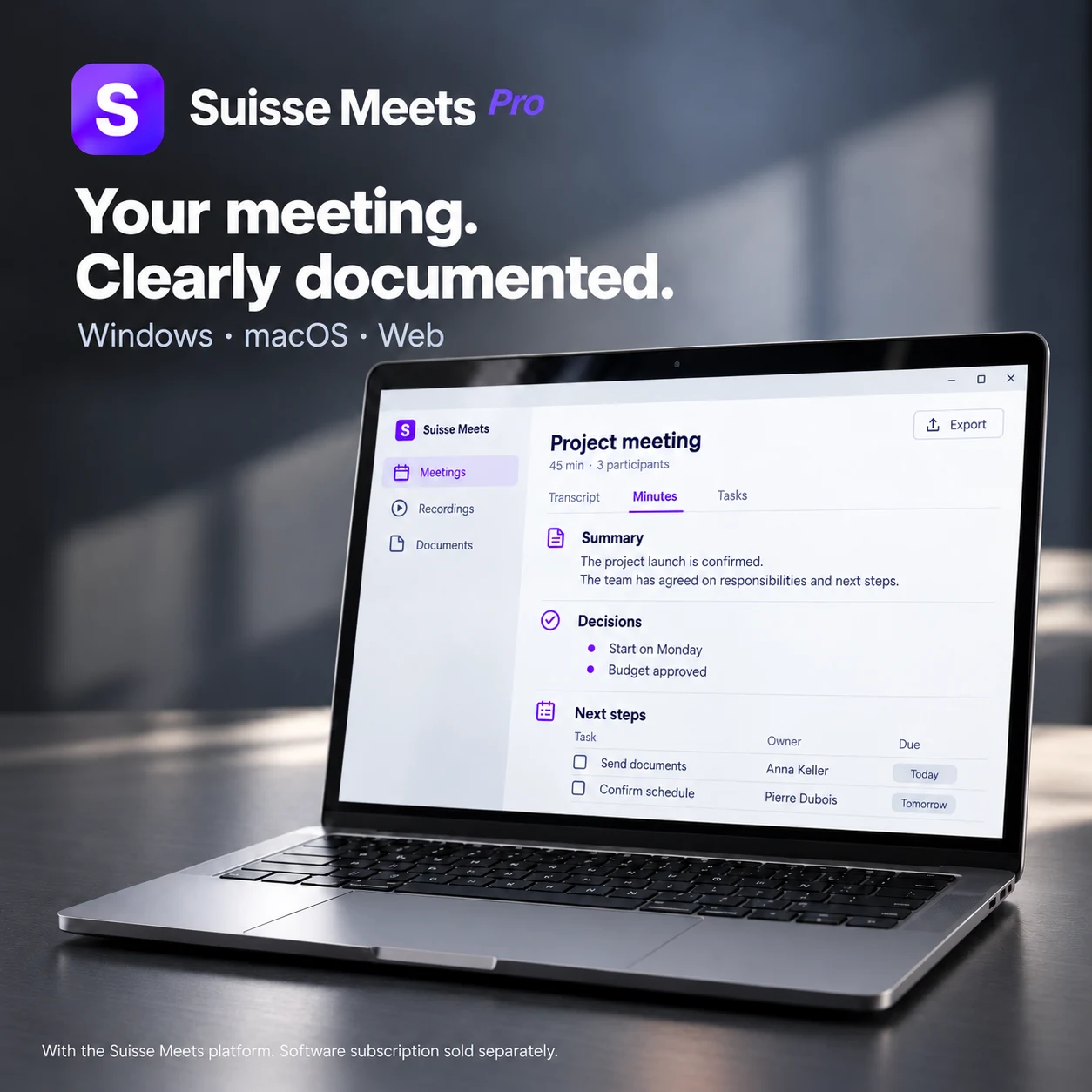
Desktop App
Download the current Suisse Meets desktop client for Windows or macOS. Check the release notes and in-app controls for functions available in your installed version.
- Recording through the released desktop client
- Access to authorized meetings and transcripts
- File upload for supported audio and video
- Functions vary by operating system and release
Mobile App
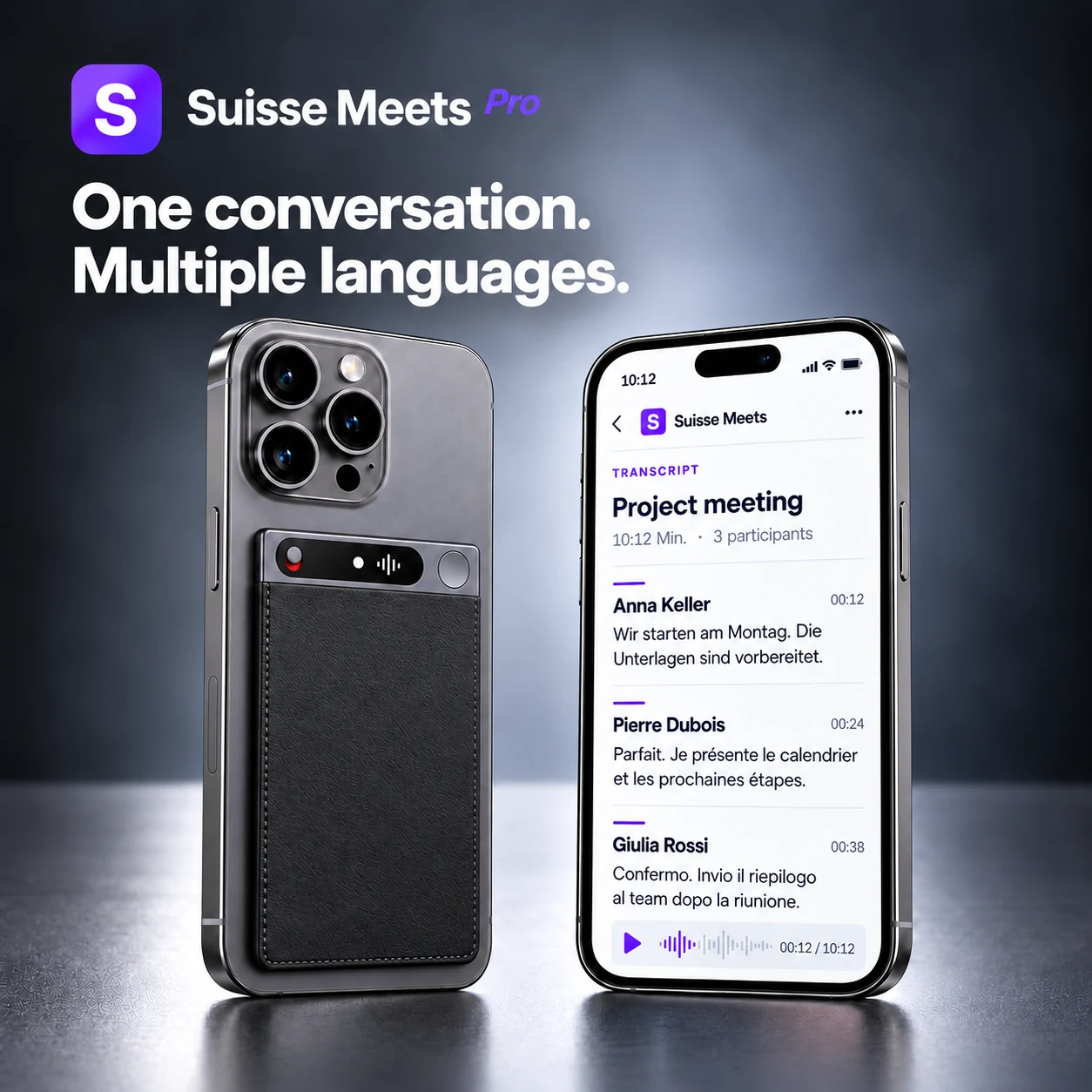
Use the current iOS app for mobile recording and access to authorized content. Functions depend on the installed App Store version and permissions.
- Mobile recording through the released iOS app
- Access to authorized meetings and transcripts
- Account-based access across supported clients
- Functions vary by App Store release
Web App
Open Suisse Meets in a supported browser without installing a desktop client. Available functions depend on your plan, permissions, and browser capabilities.
- No installation required
- Always the latest version
- Works in supported desktop and mobile browsers
- Tab-based recording in the browser
- Plan- and permission-based access
- File upload up to 500 MB and five hours
We will start the pilot with the sales team. I will prepare the training by Friday.
Très bien. Recueillons les retours de l’équipe avant d’élargir la phase pilote.
I will take care of the final tests and document the results for our next meeting.
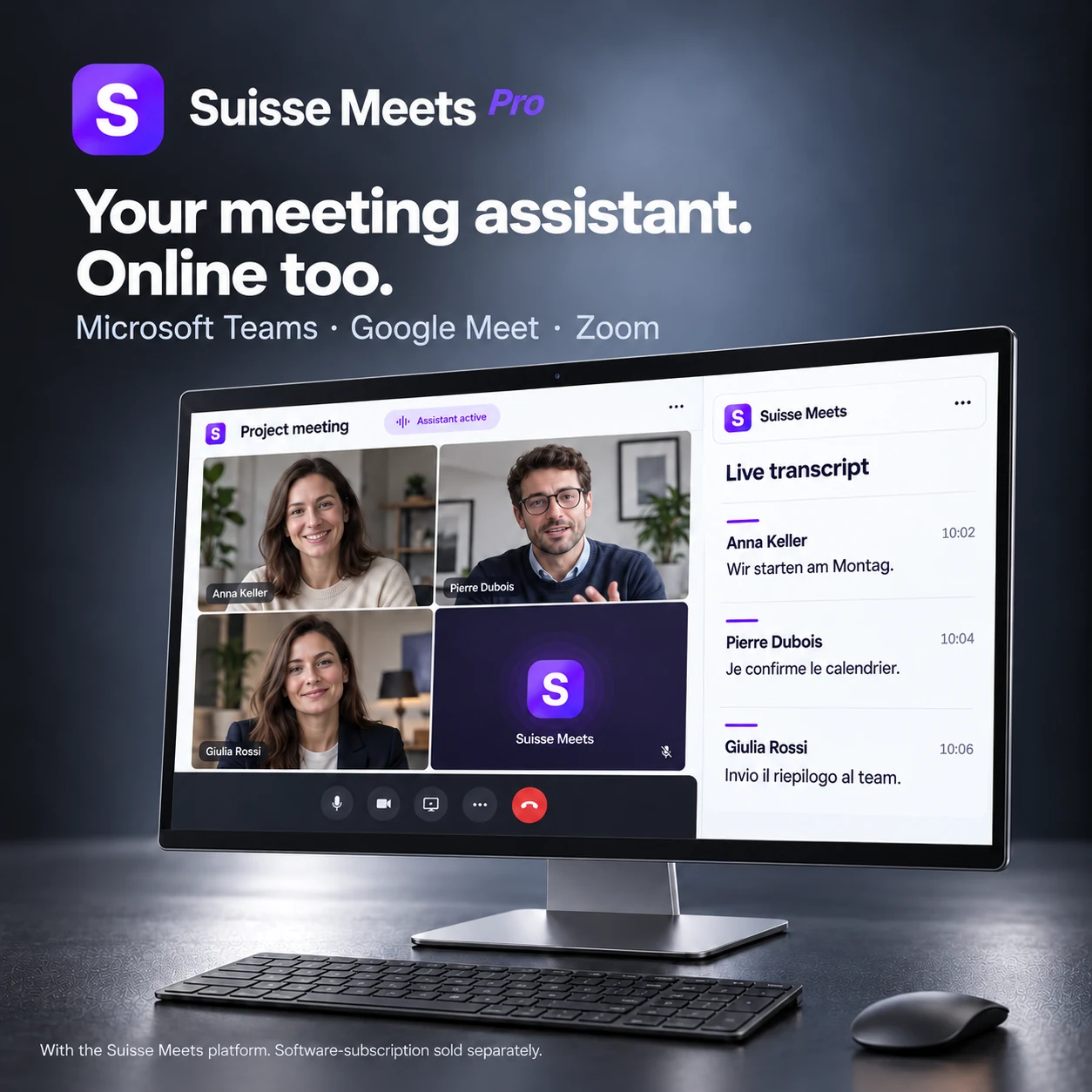
Bot Auto-Join – your meeting assistant
Connect a Google or Outlook calendar and enable auto-join. The bot can join supported, configured events according to policy, permissions, and available providers.
- Works with Microsoft Teams, Zoom, and Google Meet
- Supports configured Teams, Zoom, and Google Meet events when a provider is available
- Uses eligible events from connected Google and Outlook calendars
- You decide: which meetings are recorded and which are not
- Can join eligible events when policy and provider conditions are met
- Auto-join behavior follows account settings and permissions
Even more options
In addition to the apps and the bot, there is another way to capture your meetings.
File Upload
Upload existing audio and video files and let the AI transcribe and analyze them. Supports all common formats.
- MP3, WAV, M4A, MP4, MOV, and more
- Batch upload of multiple files
- Up to 500 MB and 5 hours per file
- Language detection and speaker labels for review
Everything synchronized
Authorized meetings, transcripts, documents, and analyses can be accessed across supported clients after processing; availability depends on connection, plan, and permissions.
Ready to unlock the full value of your meetings?
Start for free – no credit card, no subscription. Simply sign up and get started instantly with Teams, Zoom, and Google Meet.